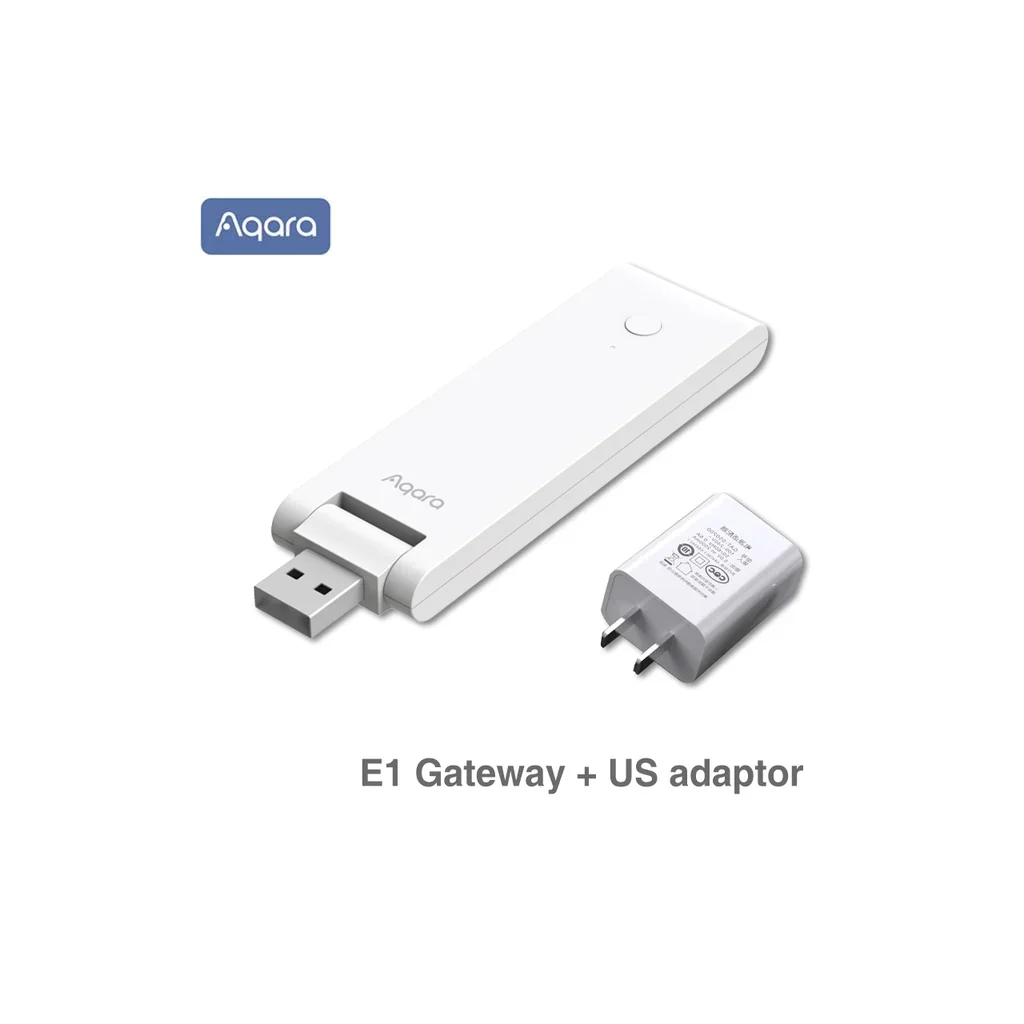
Aqara · ZHWG16LM
'Новый аксессуар E1 Hub Zigbee 3.0 USB умный шлюз для подключения устройств Zigbee к Mijia…
Mi Home compatible
Lowest listed total
$21.40
Includes $2.00 shipping · Quote for United States · USD
Compare all 11 store offers ↓Offer checked 2026-08-19. Confirm price and availability at the store.
Purchases are completed at the store. We may earn a commission from qualifying links.
New Aqara E1 Hub Zigbee 3.0 Usb Smart Gateway Aqara Hub Wireless Zigbee Connect Remote For Mijia Mi Home Control - Smart Remote Control
Full product name
'Новый аксессуар E1 Hub Zigbee 3.0 USB умный шлюз для подключения устройств Zigbee к Mijia Mi Home контроллеру с удален
Product information
New Aqara E1 Hub Zigbee 3.0 USB Smart Mini Gateway USB Wireless Connect APP Remote Control Support IFTTT Mijia Mi Home Homekit
Please Note :
1.You need to select the China region in the Mi home APP settings to use;
2.This Aqara gateway can work with Mi Home App, Apple Homekit and Aqara Home App.
3.Switching the platform will restore the gateway to factory settings. The network, automation and sub-devices need to be reconnected and set up;
4.Mijia and Aqara Home APP cannot be connected at the same time, only Mijia APP+HomeKit or Aqara Home can be used at the same time APP+HomeKi
Product Description
Product model: ZHWG16LM Aqara Hub E1
Product size: 108x30x8mm
Input voltage: 5V---0.5A
Working temperature: -10C~40C
Working humidity: 0~95% RH, non-condensing
Wireless connection: Wi-Fi IEEE 802.11 b/g/n2.4GHz, Zigbee3.0
Executive standard: GB49431-2011, GB/T9254 2008, GB/T17618 2015
Package list:
Aqara Hub Gateway E1 (Youth Edition) x1
Manual x1
FAQ:
1/Gateway E1 (Youth Edition) can't connect to Wi-Fi, what should I do?
-
Place the mobile phone close to the gateway when connecting;
-
Turn on the phone Wi-Fi;
-
The mobile phone needs to be connected to the Wi-Fi network in the 2.4GHz band; 4. When the mobile APP prompts that the gateway connection fails, please reset the gateway: long press the button on the gateway for 10 seconds until the orange indicator light starts to flash.
2/Gateway E1 (Youth Edition) supports installation in which scenarios?
Gateway E1 (Youth Edition) supports installation in standard USB ports with output power greater than 2.5W (5V/0.5A), such as wall sockets with USB power ports, power strips, power adapters, electrical appliances, etc.
3/ What is the WiFi relay function of Gateway E1 (Youth Edition)? How to use it?
-
WiFi relay refers to the function that the gateway E1 (Youth Edition) releases a new wireless hotspot method after it is connected to the home wireless router to expand the signal coverage for other WiFi devices. In places with poor WiFi signals such as the door, it supports up to two lower-level devices to access;
-
This function can be turned on in the "WiFi Relay" function in the APP device settings page. The device has a default hotspot name and password at the factory, and the user can modify it by himself.
4/ After turning on the Wi-Fi relay function, why can't I connect to the hotspot of the Youth Edition gateway?
After the relay function is turned on, the IP address of the lower-level device is still allocated by the upper-level router. 1) When some brands of wireless routers receive frequent connection requests, they may refuse to assign IP addresses, causing the relay hotspots to fail to connect. It is recommended to restart the router or wait for a period of time before trying to connect again; 2) In some scenarios , Multiple routers in the same LAN share the SSID but use different channels (such as office environment). The gateway may switch back and forth to connect to different routers. After the channel is changed, the lower-level equipment cannot establish an IP allocation correspondence with the new route, causing the hotspot to fail to communicate. It is recommended Only experience the WI-Fi relay function in a single router environment.
5/Gateway E1 (Youth Edition) Why does it keep failing when adding a second device to the Wi-Fi relay hotspot?
When adding a second device to the relay hotspot for some models of mobile phones, the mobile phone connects to the hotspot first, which fills the upper limit of two After the device transmits information successfully", disconnect the mobile phone from the relay hotspot, which can ensure that the second device can successfully connect to the hotspot successfully.
6/ What is the connection distance between the sub-device and the gateway? Can it pass through the wall?
In different indoor environments, the working distance between the sub-device and the gateway is different. When used in a daily home environment, it is recommended that the distance between the sub-device and the gateway is no more than 10 meters, and no more than two concrete walls in between.
7/ Does the gateway support the alarm function?
This gateway does not have a built-in speaker and buzzer, and does not support the local audio alarm of the gateway, but the alarm function can be realized through the linkage of sub-devices under the gateway through configuration automation.
8/Why do the sub-devices often go offline?
-
It may be too far away from the gateway, or there may be metal obstructions in the middle. You can try to get close to the gateway and avoid metal obstructions;
-
The battery of the sub-device may be exhausted and the battery needs to be replaced. Tip: In order to achieve a better experience, please upgrade the device firmware in time to ensure compatibility and stable communication between devices.
9/How to identify sub-devices of the same type that are bound to the same gateway?
You can query the information log of the device, and distinguish the device through the log; when adding a device, it is recommended to distinguish it according to the installation location or use purpose on the APP, and Rename the device.
10/What is the function of the gateway to prevent accidental deletion? How to use it?
-
The gateway prevents accidental deletion to avoid misoperation of the device function keys (such as long pressing the function key for 10 seconds) that causes the device network to reset and go offline. After the accident prevention function is turned on, the device can only be unbound from the APP (the device is connected to the normal network) Case);
-
This function can be turned on through the "Preventing Erroneous Deletion Settings" in the APP device settings options.
10/How to add Zigbee sub-devices to this gateway?
-
Zigbee sub-devices must pass through the gateway to connect to the APP. When connecting, select the gateway to bind according to the APP prompt;
-
If you want to change the gateway bound to the Zigbee sub-device, please delete the Zigbee sub-device from the APP homepage first, then add it again, and re-select the gateway that needs to be bound;
-
In the APP of the gateway, you can view the list of sub-devices bound to the gateway.
11/Does it support Bluetooth sub-devices to be added to the gateway?
This device does not support the addition of Bluetooth sub-devices.
12/Why can't Wi-Fi smart devices be added to the gateway?
-
Wi-Fi devices connected to the APP communicate through the LAN and gateway built around the router to realize intelligent linkage within the LAN; or access the cloud through the router, and the cloud sends execution commands to the corresponding according to the set intelligent scene Wi-Fi type execution equipment;
-
The working principle of Wi-Fi equipment determines that it is interconnected through the above two methods, without and without access to the gateway.
13/Why can't remote control be realized after the gateway and its sub-devices are connected to HomeKit?
After adding the device to the Apple Home APP, you also need to install a HomePod or Apple TV (tvOS 11.0 or higher) or an iPad (iOS 12.0 or higher) that has been set as a home hub to achieve remote control. For specific operations, please refer to the Apple Home APP prompts.
14/ Why can't some sub-devices be found in the home APP?
When the gateway is added to the home APP, only the sub-devices that support the HomeKit function can be displayed in the home APP; devices that are not authorized by "Works with Apple HomeKit" cannot access HomeKit.
Key characteristics
- Mi Home app
- Compatible
- Connectivity
- Zigbee 3.0, Wi-Fi
- Dimensions
- 108 × 30 × 8 mm
- Model
- ZHWG16LM
- Operating temperature
- -10°C to 40°C
- Power input
- 5 V DC, 0.5 A
Similar devices to explore
Xiaomi Flood Guardian 2 Flood Alarm Smart Home Kitchen an…
From $23.35 + shipping
View offers →
Aqara M1S
From $43.18 + shipping
View offers →
Aqara Smart Electric Curtain Motor E1 Zigbee 3 0 Hub for…
From $94.19 + shipping
View offers →
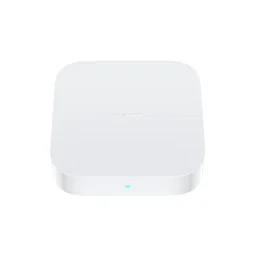
Xiaomi Hub Smart Multi-Mode Gateway: Dual WiFi 5G and 2.4…
From $72.99 + shipping
View offers →
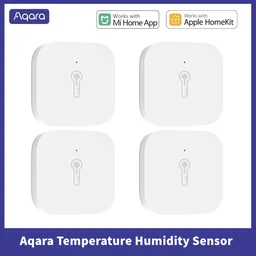
Aqara Smart Air Pressure Temperature Humidity Sensor Envi…
From $15.74 + shipping
View offers →