Xiaomi Mi Датчик Движения 2
3 min readRewiew: Xiaomi Mi Motion Sensor 2
This is review of Xiaomi Mi Датчик Движения 2
Xiaomi Mi Motion Sensor 2 designed for indoor use. It has compact size, just about 3 centimeters in height and 3 centimeters in diameter (without a holder).
This motion sensor is a wireless smart device. It uses Bluetooth 5.0 protocol, and requires Bluetooth gateway, compatible with Mi Home app (Xiaomi Gateway 3 could be a good choice). Built-in battery CR2450 lasts around 1-2 years, and when it is discharged, the battery can be easily replaced with the new one.
The motion sensor packed in white box, on the front side it has a sensor image:

and the back side of the package contains Mi motion sensor parameters:

The sensor has a small size, here is the picture of Mi Home motion sensor compared with a pen:

The holder makes the motion sensor a bit bigger, but it allows to mount the sensor by any location:

The distance, where this motion sensor detects motion, will depend on its orientation to moving object: in front, where motion sensor "looks" directly, the distance is about 7 meters, but up or down from the sensor it will fall till 2 meters. Here is the picture from the motion sensor instruction, which demonstrates this:

When you will create actions driven by this motion sensor in your Mi Home app, you should keep in mind that the sensor will detect the motion only once in a minute. It means that if somebody moves, the sensor will detect motion immediately, but the next movement can be detected only after one minute. Sometimes it is important in scenarios.
Another important thing: this sensor detects motion, not the presence. It means that if you are watching TV a long time without a movement, highly likely you will get light turned off after a few minutes. To avoid such situations, try to create more complex automations. For example, if you're usually watching TV in evening time, you can set longer timeout for that hours, or you can use combination of the motion sensor and door open detector like this. Another option is use presence detector, but will you be able to connect it to Mi Home app directly? Most likely, no. One option for that is described here.
Go to the product prices and specificationXiaomi Mijia Smart Neck Massager Shoulder and Neck
Xiaomi Mijia Smart Neck Massager Shoulder and Neck Integrated Massage Hot Compress MiHome APP Control MJNKAM01SKS44
From $65.74 + shipping
Choose and buyXiaomi Mijia Smart Multimode Gateway 2 Zigbee 3.0
Xiaomi Mijia Smart Multimode Gateway 2 Zigbee 3.0 Hub Bluetooth Mesh Dual WiFi 5G And 2.4G RJ45 Port 3 Protocol Dual Core Mihome
Check prices
Choose and buy
Xiaomi Smart Doorbell 3 2K Ultra HD Night Vision V
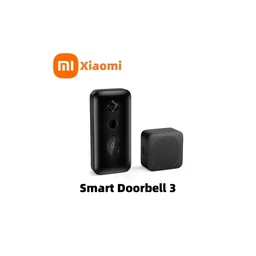
Xiaomi Smart Doorbell 3 2K Ultra HD Night Vision Video Doorbell Long Battery AI Human Recognition Work with Mi home APP
From $62.81 + shipping
Choose and buy